You can restore a workspace by creating a new one with the same URL as the one that was deleted. Restored workspaces will be restored with their original configurations. It is however not possible to restore a workspace if the deleted site has actively been deleted from the recycle bin or if the workspace was deleted for longer than 93 days (it will automatically be deleted from the recycle bin after 93 days).
To restore a workspace you must be a SharePoint administrator (has the permission to restore deleted site collections).
Note on SharePoint Server/On premises
MetaShare cannot restore the site collection for the workspace when running on premises. Before restoring the workspace you must restore the site collection using the Restore-SPDeletedSite PowerShell cmdlet.
How to
- Go to MetaShare’s start page.
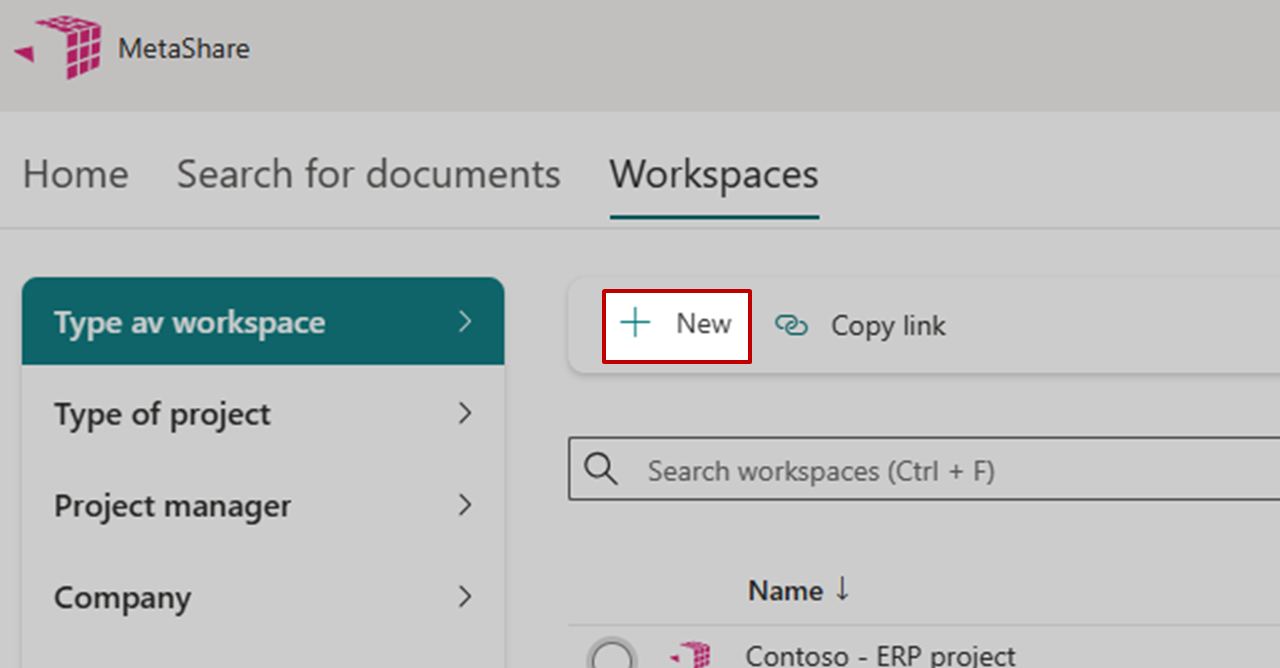
- Click on the “New” function in the horizontal toolbar.
- Choose any configuration, as the restored workspace will keep its original configuration, and enter the SharePoint URL of the workspace that you wish to restore.
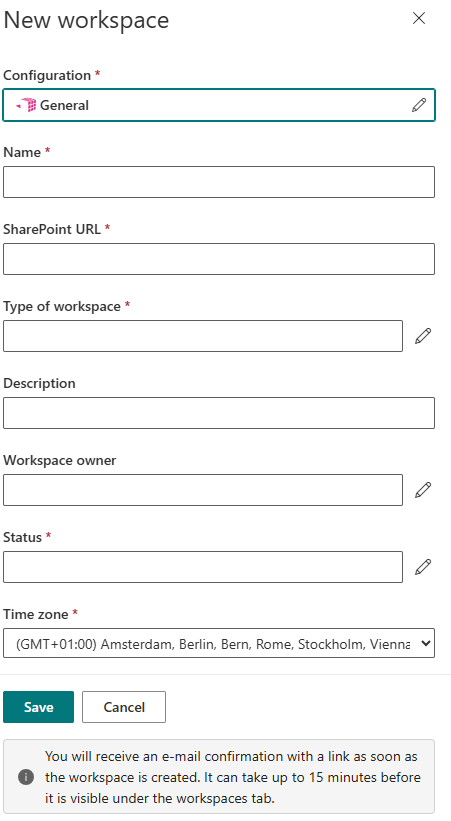
- Click on the “Save” button.
- You will receive a mail once the restoration is completed.